
Meeting Action Items: How to Write, Assign and Track

A meeting action item is a specific task, assigned to one person with a deadline, that comes out of a discussion or decision. Good ones turn talk into work. Bad ones, like “look into pricing” with no name attached, vanish by Friday. This guide shows you what to put in every action item, how to word it, how to assign and track it, and how to keep the whole system light enough that people actually use it.
TL;DR
- An action item is one task, one owner, one deadline. If any of the three is missing, it is a wish, not an action item.
- Start with a precise verb, name the deliverable, and say what “done” looks like. Avoid “follow up,” “look into” and “ASAP.”
- Read every item back before the meeting ends. It is the cheapest way to catch missing owners and unrealistic dates.
- Send the recap fast, keep one list, and review open items at the start of the next meeting.
- Capture is the weak link in most teams. Whatever you use, make sure the commitments are recorded the moment they are spoken.
Table of Contents
- What a meeting action item is, and what it is not
- What every action item needs
- How to write an action item people can act on
- Examples of effective action items
- Assigning action items in the room
- Tracking and following up after the meeting
- A meeting action items template you can copy
- Our perspective: capture is where action items are won or lost
- Where eden fits
- Mistakes that quietly kill action items
- FAQ
- Sources
What a meeting action item is, and what it is not
An action item is a next step assigned to someone during or after a meeting, discussion or decision, giving that person a defined responsibility and a deadline, as Atlassian’s guide to action items puts it. It is different from a topic (“pricing”), a decision (“we will launch in March”) or an idea (“we should probably redesign the form”). A decision becomes an action item only when someone is asked to do something about it.
That difference matters because of how teams record meetings. A communication textbook from Whatcom Community College notes that effective minutes capture significant discussion points, decisions and separately identified action items, rather than transcribing every comment. Asana draws a similar line: formal minutes are a structured official record, while notes are a flexible record of key points, decisions and action items.
So think of three layers:
| Layer | What it holds | Who reads it |
|---|---|---|
| Minutes | The official, structured record of the meeting | Anyone who needs the history |
| Notes | Key points, context, decisions | Attendees and people who missed it |
| Action items | Tasks with an owner and a deadline | The people who must act |
Action items are the only layer that should change what happens next week. Treat them separately, put them at the top of your recap, and nobody has to dig through a page of summary to find their name.
Ohio University’s project management resources frame them the same way: trackable task assignments that improve organization, accountability, workload balance and time management. Accountability is the key word. An action item exists so that a specific person can be asked, kindly, “how is this going?”
What every action item needs
Sources differ on the exact count, but they converge on a short core. Ohio University’s guide says each item should identify who is responsible, what specific action will take place, and when it must be completed. Asana’s four-W method adds a fourth question, why it matters. Atlassian’s longer list covers owner, action, scope, outcome, deadline and source. Monday.com suggests also tracking priority and a status such as not started, in progress, complete or blocked.
Put those together and you get a practical field list:
| Field | What to write | Why it earns its place |
|---|---|---|
| Owner | One named person | Shared ownership usually means no ownership |
| Action | A verb plus the specific thing | Removes guessing about the work |
| Scope | What is in and out, with links to materials | Lets the owner start without a round of questions |
| Definition of done | The observable result | Prevents two different ideas of “finished” |
| Deadline | An actual date | “Soon” and “next week” mean different things to different people |
| Source | The meeting or decision it came from | Gives context months later |
| Priority and status | High, medium, low; open, blocked, done | Helps the owner choose what comes first |
You do not need all seven for a ten-minute stand-up. Owner, action and date are the floor. Add scope, a definition of done and a source when the task is unusual, expensive or involves another team.
How to write an action item people can act on
Use a sentence frame
The simplest frame is: [Owner] will [action] by [date]. “Maya will send the revised quote to the client by Thursday, October 29.” It is short, it names a person, and it is impossible to misread. For higher-stakes work, tack on a clause for the reason and a place where progress will be recorded.
Lead with a precise verb
Atlassian recommends a verb-driven action, such as updating API documentation, instead of a label like “API docs.” A label tells you a subject. A verb tells you what to do. Strong verbs include draft, send, approve, schedule, book, publish, review and decide. Weak ones, like “handle,” “explore” and “look into,” invite everyone to interpret the task differently.
Say what done means
If you do not define done, the owner and the requester can quietly hold different expectations. A short clause fixes it: “done when Priya has approved the draft,” or “done when the summary is posted in the project channel.” Deliverables are usually done when the requester signs off. Investigations are usually done when the findings are shared.
Give the owner what they need to start
Asana advises including reference materials, dependencies and scope so the owner can begin without back-and-forth, and notes that explaining why an item matters helps them make better decisions. A link to the doc or the data beats a paragraph of explanation.
Before and after
| Vague | Clear |
|---|---|
| Follow up with the client | Dana will email the client the workaround steps and confirm whether it fixed the issue by Friday, November 6 |
| Look into pricing | Sam will compare our three plans against the competitor price points in a one-page summary by Wednesday |
| Update the timeline ASAP | Leo will update the project timeline with the final design milestones by Thursday at noon |
| Onboarding stuff | Ana will draft three onboarding flow improvements based on the drop-off data we reviewed today, by next Tuesday |
Notice what changed. Every clear version has a person, a verb, a deliverable and a date you can put on a calendar. Relative dates like “Friday” are fine in a recap sent the same day, but an absolute date survives being forwarded or read a week later.
Examples of effective action items
Here is how the pattern looks across common meeting types. These follow the shape of the examples in Atlassian’s guide, which include updating a project timeline, drafting onboarding improvements from reviewed data, sending a customer a workaround summary, and creating a handoff checklist before sprint planning.
Product meeting
- Raj will patch the login bug and ship it with the next product update.
- Ana will draft three onboarding flow improvements from the drop-off data reviewed today, by Tuesday.
Customer success
- Dana will send the customer a summary of the workaround and confirm whether it resolves the issue by Friday.
Marketing
- Leo will update the campaign calendar with the final launch dates by Thursday.
- Mia will outline the onboarding presentation before new hires start, with slides finished a week before their first day.
Leadership or planning
- Sam will create a handoff checklist before the next sprint planning meeting.
- Priya will decide on the vendor shortlist by November 13 and share the reasoning in the project doc.
One-on-one
- Chris will draft a development plan with two stretch goals and bring it to our next one-on-one.
You will see the same structure each time: a named person, a concrete deliverable and a time boundary.
Assigning action items in the room
The best time to assign is while everyone is still present and can say “that is not realistic.” A few habits make this routine:
- Assign by name, not by team. “Marketing will handle it” lands on nobody. Ask, “Who is taking this?” and wait for a person to answer.
- Pick one owner. Others can contribute, but one name is accountable. Rutgers University’s guidance on meeting minutes advises recording each assignment with the responsible person, the completion deadline and a method for reporting back when necessary.
- Negotiate the date, do not dictate it. An owner who set the deadline is more likely to hit it.
- Read each item back. Atlassian’s guidance on follow-up and many practitioners agree that a read-back at the end catches missing owners, unrealistic dates and misunderstandings while they are still cheap to fix. Spend the final two minutes on it.
- Name a note-taker before you start. If everyone assumes someone else is writing things down, nobody is.
Tracking and following up after the meeting
An action item is only half-born at the meeting. The rest of its life happens in the days that follow. Atlassian’s recommended routine is simple: send a recap promptly, review outstanding items before the next meeting, check in before deadlines, flag blockers early and update the plan when scope changes.
Turned into a workflow, it looks like this:
- Same day: send the recap with action items at the top, each with owner and date.
- Midway to the deadline: a short nudge for anything large or risky. “Anything blocking you?” works better than “Is it done?”
- Next meeting, first five minutes: walk the open list before anything new.
- Carry-over decision: for each unfinished item, choose one outcome. Re-commit with a new date, cancel it if it is no longer relevant, or escalate it if something is blocking it.
- Close it: mark done only when the definition of done is met.
Keep one list
The most common tracking failure is not laziness, it is scatter: items in a doc, a chat thread, a personal notebook and someone’s memory. Pick one place, whether a project tool, a shared doc or a task board, and make it the source of truth. Review it on a regular rhythm. Weekly works for most teams, and for a one-off project with a short runway, twice a week is not excessive.
Monday.com’s suggested statuses (not started, in progress, complete, blocked) are a good minimum. The “blocked” status is the one that matters most, because it turns silent stalling into a visible request for help.
A meeting action items template you can copy
Atlassian’s meeting agenda template lists the basics: meeting title, date, time, location or virtual link, objectives, attendees, agenda items and supporting materials, with space reserved for action items stating what needs to be done, who is responsible and the due date. Here is a lean version for the notes you send afterward:
Meeting: [Title]
Date / time: [Date, time]
Attendees: [Names]
Purpose: [One sentence]

Decisions
- [Decision 1]
- [Decision 2]

Action items
| Owner | Action | Done when | Due | Status |
| [Name] | [Verb + deliverable] | [Observable result] | [Date] | Open |

Next meeting: [Date], first agenda item is the open action items
Keep decisions and action items visibly separate. A reader scanning for their name should find it in seconds.
Our perspective: capture is where action items are won or lost
Most advice on action items focuses on the writing. We think the bigger problem comes earlier: the commitment is spoken, everyone nods, and nobody records it accurately. Someone remembers “I’ll send that over” as a casual remark. Someone else remembers it as a promise with a date. Two days later, the gap shows up as a missed deadline.
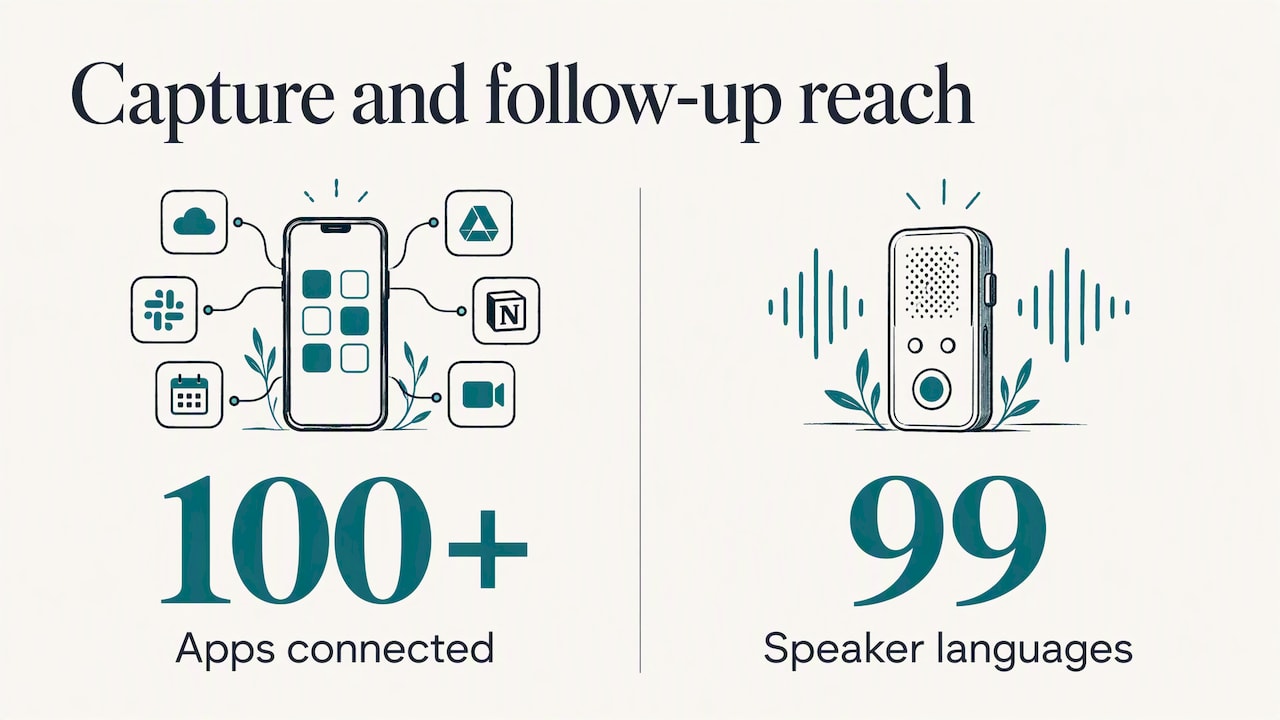
That is why we built eden around turning intent into finished work. Our personal AI concierge lives in the chat apps you already use, WhatsApp, Telegram and iMessage, and it connects to more than 100 apps you authorize, so a follow-up email, a calendar block or a booking does not stop at “I should do that.” For the in-person conversations that online notetakers cannot reach, the eden Ring captures, transcribes and summarizes them, identifies speakers in 99 languages, and stores audio encrypted on the device. We designed it that way because a hallway agreement or a client dinner is still a meeting, and its commitments deserve the same care as a scheduled call.
Our view is simple. Tools should shrink the distance between what was said and what gets done. The best action item system is the one that costs you almost no effort at the moment of capture, so your attention stays on the person in front of you.
— Matthieu
Where eden fits
If your action items start in conversations, you can let eden carry them forward. Message it on WhatsApp, Telegram or iMessage, with no new app to install, and ask it to draft the recap email, put the follow-up on your calendar or book the next session. Payments are PIN-approved, and each customer runs in a secure, isolated environment. You can start with eden, check that it is free to use, or see how the eden Ring records in-person meetings. If you want to see how notetakers compare first, our ranking of AI notetakers lays out the trade-offs, and the security page explains how we protect your data.
Mistakes that quietly kill action items
- Assigning to a group. “The team will review” means no one reviews. Name a person.
- Using vague deadlines. “ASAP” and “soon” are different dates to different people. Write a day.
- Writing topics instead of tasks. “Budget” is a subject. “Tara will send the revised budget to finance by Monday” is a task.
- Overloading one person. If the same name appears seven times, the list is a wish list. Rebalance before you leave the room.
- Sending the recap late. Memory fades fast. A recap sent the same day gets corrected; one sent a week later gets ignored.
- Never closing the loop. Items that are neither completed nor cancelled pile up and teach everyone that the list does not matter.
- Recording too much. Ten action items from a thirty-minute meeting usually means some are really ideas. Keep the ones someone has committed to.
FAQ
What is the difference between action items and meeting minutes?
Minutes are the structured, official record of what was discussed and decided. Action items are the specific tasks that come out of it, each with an owner and a deadline. Good minutes list action items separately so people can find them without reading the whole record.
How many action items should a meeting have?
There is no fixed number, but fewer is usually better. Keep only items that someone has clearly committed to, and rebalance if one person ends up with most of them. If the list keeps growing, the meeting may be covering too much or deciding too little.
Who should write down the action items?
Name a note-taker at the start so the job does not fall between people. Whoever writes them should read each item back before the meeting ends, so the owner can confirm the wording and the date. If you capture conversations with a tool, a person should still review the list before it goes out.
Can an action item have more than one owner?
It is better to assign one accountable owner, even if several people contribute. Shared ownership makes it easy for everyone to assume someone else is handling it. If the work is large, split it into smaller items, each with its own name.
What should I do with action items that are not finished?
Decide on one outcome for each at the next meeting: re-commit with a new date, cancel it if it no longer matters, or escalate it if something is blocking progress. Do not let it roll over unchanged, since that is how lists lose credibility.
Sources
- Action Items: How to Track Meeting Tasks (Atlassian)
- Free Meeting Agenda Template (Atlassian)
- Action Items: Definition, How to Write, and Examples (Asana)
- Meeting Notes Tips: How to Take Notes and Track Actions (Asana)
- Action Items: What They Are, How To Write Them, And Examples (monday.com)
- 2.9 Meeting Minutes (Whatcom Community College)
- Guide to Meeting Agendas and Action Items (Ohio University)
- Meeting Preparation (Rutgers University)
Recommended
Meet eden, your Concierge
It books, researches, clears your inbox, and remembers everything across every chat. Hand off the busywork.
Try eden →